Accessibility compliance gets treated as a checkbox on a lot of website projects. Add an accessibility plugin, run an automated scan, tick the box.
That’s not how it works. And for any organisation where a website failure carries real consequences: regulatory, reputational, or operational – the gap between genuine WCAG 2.1 AA compliance and a plugin-patched site is the gap between meeting your obligations and not.
What WCAG 2.1 AA requires
The Web Content Accessibility Guidelines (WCAG) 2.1 are the internationally recognised standard for web accessibility.
Level AA is the benchmark required for Australian government websites under the Digital Service Standard and increasingly expected across regulated sectors as a baseline standard of care.
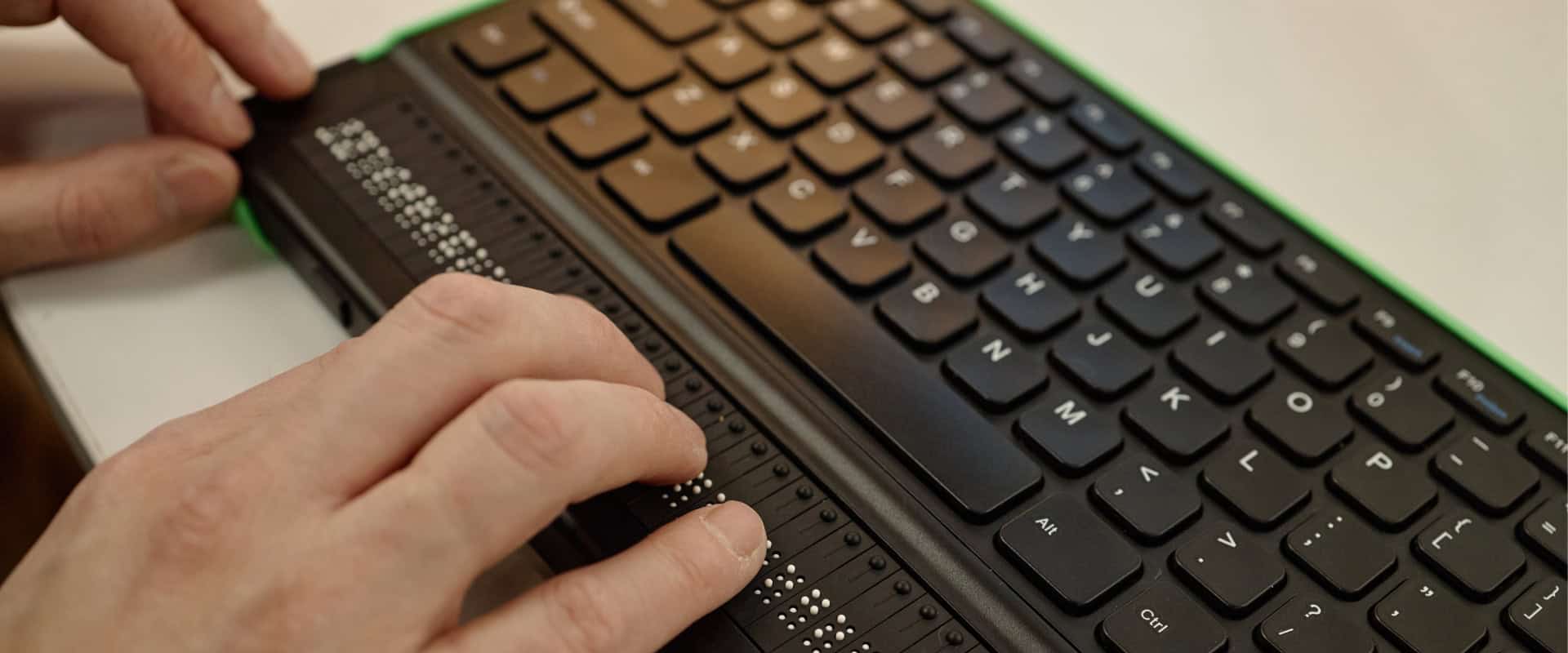
AA compliance doesn’t mean a site passes an automated checker. It means a real person using assistive technology -> a screen reader, a keyboard only, a switch device… can navigate, understand and use every part of the site.
The standard covers four principles: content must be Perceivable, Operable, Understandable and Robust.
Within those, AA requires 50 specific success criteria to be met. Automated tools can check around 30–40% of them. The rest require manual testing.
Where most sites fall short
The most common failures we see aren’t the obvious ones. Colour contrast issues are easy to spot.
What’s harder and what automated tools routinely miss are things like:
- Focus order: does keyboard navigation move through the page in a logical sequence, or does it jump erratically between elements?
- Form labels and error messages: are they programmatically associated with their inputs, or just visually adjacent?
- Dynamic content: when a modal opens, or a page section updates, does a screen reader user know what changed?
- Touch target size: on mobile, are interactive elements large enough and spaced enough for users with motor impairments?
- PDF documents: linked PDFs are part of the site and need to be accessible too. Most aren’t.
Each of these is a genuine barrier for a real user. None of them are caught by an overlay plugin.
Why it’s a build discipline, not an add-on
The reason accessibility retrofits are expensive and incomplete is that they’re trying to fix structural problems after the fact. Heading hierarchy, semantic HTML, ARIA landmark regions, skip navigation links – these need to be built in from the first wireframe, not applied as a corrective layer at the end.
We build WCAG 2.1 AA compliance into our development process as a default, not a quoted extra. That means:
- Semantic HTML structure throughout, not div-soup with CSS classes
- Keyboard navigation tested on every interactive element during development, not after launch
- Colour contrast checked at the design stage, before anything is built
- Screen reader testing as part of the QA process
- Not just accessibility overlay plugins – they don’t achieve compliance on their own and they introduce their own usability problems for assistive technology users
How we test for it
A single automated scan won’t tell you whether a site is genuinely WCAG 2.1 AA compliant.
It’ll tell you whether it’s passed roughly a third of the criteria.
Our process pairs the automated check with manual testing on every project: a full run-through using a screen reader, keyboard-only navigation through every interactive element, and a review of every linked PDF and downloadable document, since these form part of the site and need to meet the same standard as the pages around them.
We also test at realistic viewport sizes rather than just desktop, since touch target size and focus order behave differently on mobile.
If you want to know where your current site stands, our website assessments cover this: a structured review against the WCAG 2.1 AA success criteria, not just an automated report.
Who this matters for
WCAG 2.1 AA compliance is a legislative requirement for Australian government websites under the Digital Service Standard. For healthcare, aged care, and disability services organisations, it’s increasingly expected, either formally or informally, as a baseline standard of care.
In both cases, the question isn’t whether your site should be accessible.
It’s whether the partner who built it knows the difference between a site that passes an automated checker and one that works for a real person using a screen reader.
Accessibility in government vendor assessments
For government departments specifically, WCAG 2.1 AA compliance increasingly shows up as a specific line item in vendor and panel assessments, not just a general expectation.
Evaluators are asking vendors to demonstrate how accessibility is tested, not just confirm that it is.
This sits alongside other baseline requirements procurement teams look for: security certification, data sovereignty, and a documented development process. If you’re less familiar with the security side of that list, we’ve broken down what ISO 27001 certification means for a web development project.
We’ve covered what these assessments look for in more detail in our piece on government vendor assessments.
If your organisation is preparing for a panel or vendor review, that’s worth reading alongside this one.
FAQ
What is WCAG 2.1 AA?
WCAG 2.1 AA is the internationally recognised standard for web accessibility, covering 50 success criteria across four principles: perceivable, operable, understandable, and robust. It’s the level required for Australian government websites under the Digital Service Standard.
Does an accessibility plugin make my site WCAG 2.1 AA compliant?
No. Overlay plugins can improve some surface issues, but they can’t fix structural problems like focus order, semantic HTML, or how dynamic content is announced to screen readers. Genuine compliance is a build discipline, not something added after launch.
Is WCAG 2.1 AA a legal requirement in Australia?
It’s mandatory for Australian government websites under the Digital Service Standard. For other sectors, including healthcare, it isn’t yet a blanket legal requirement, but it’s increasingly expected as a standard of care and referenced in procurement and compliance reviews.
How long does WCAG 2.1 AA testing take?
It depends on the size and complexity of the site. A single page can be manually tested in a few hours; a full site audit for a mid-sized organisation typically takes one to two weeks, including a written report of findings.
The short version
WCAG 2.1 AA compliance is a development discipline, not a product you install. Genuine compliance requires semantic build practice, manual testing and a team that treats accessibility as part of the brief, not an afterthought.
Learn more about Kicking Pixels or get in touch to talk through your organisation’s accessibility requirements.